FluxNode
A dark, responsive Web3 infrastructure website concept — turning a dense technical brief into a clear experience for developers and enterprise teams.
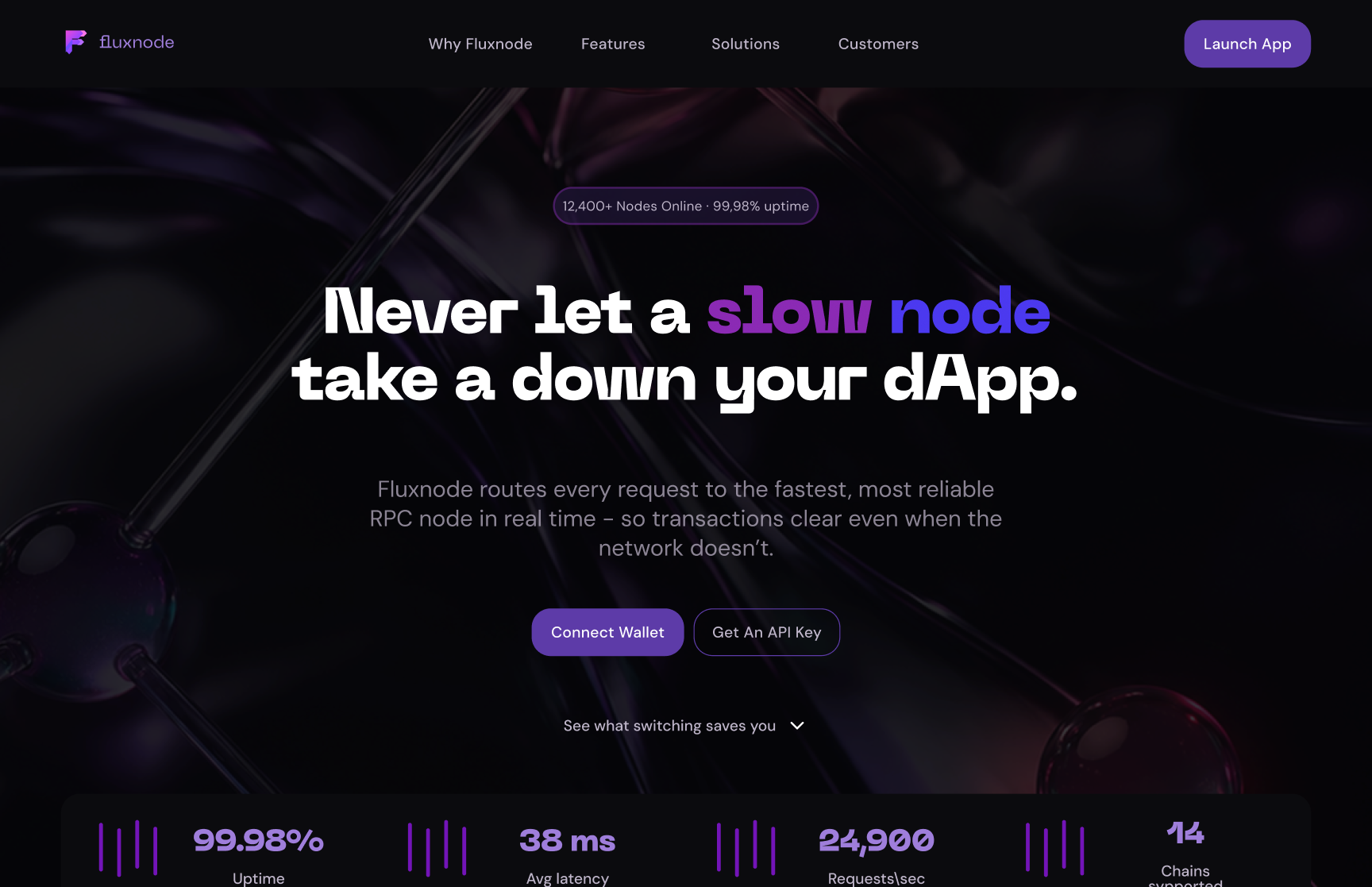

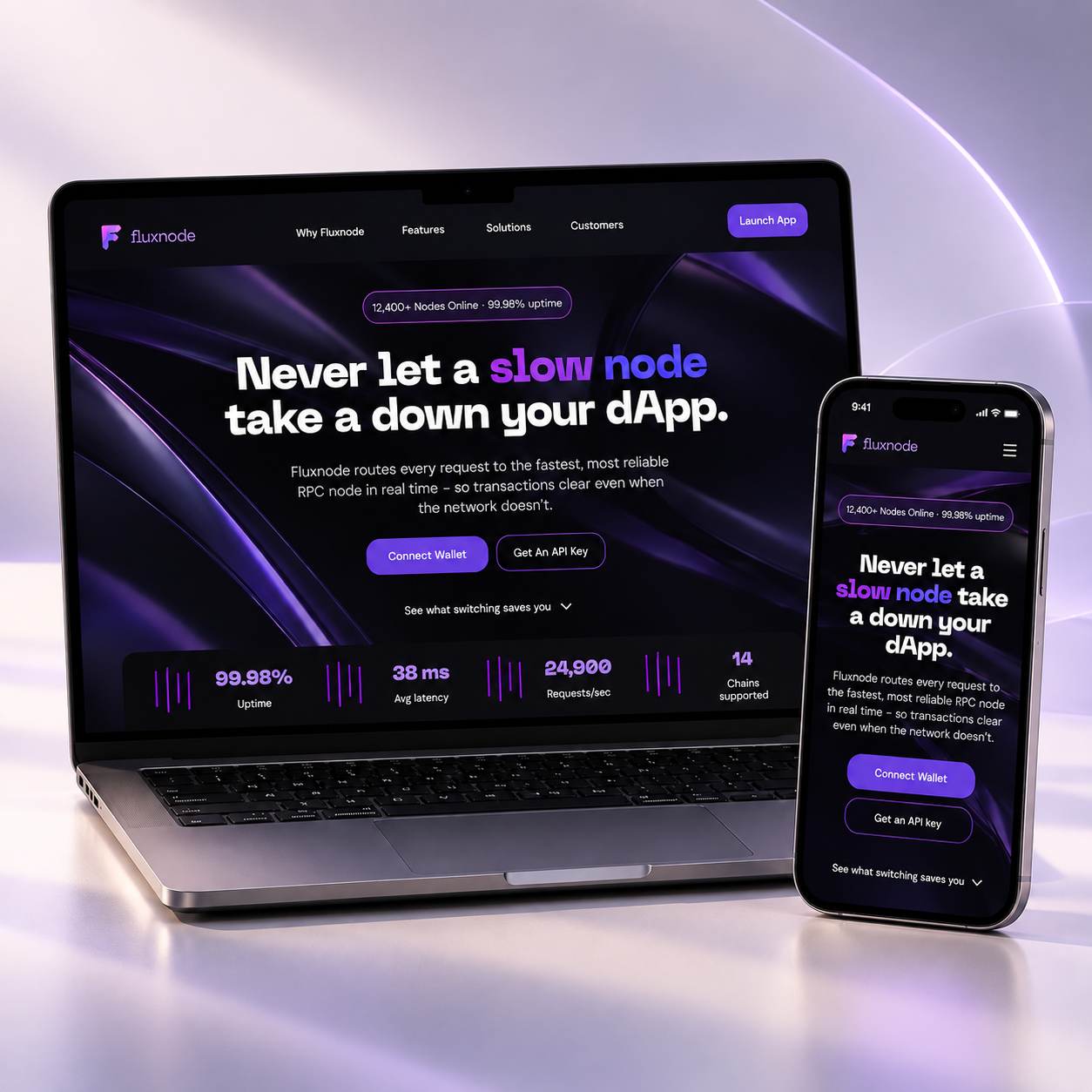
A responsive marketing website for RPC infrastructure.
FluxNode is a website concept for a Web3 RPC infrastructure service, aimed at developers and enterprise teams.
The project originated as a real-case technical design challenge during a hiring process. The supplied brief defined the core service story, technical claims, required content, primary actions and major website sections.
I independently designed the complete desktop and mobile experience, established the dark visual direction, organized the supplied content into a clear page structure, created reusable interface elements and built an interactive Figma prototype — all in under seven days.
Making a dense technical brief easy to read.
The brief carried a large amount of technical and commercial content: service positioning, network statistics, infrastructure explanations, provider comparison, integration content, enterprise messaging, testimonials and multiple calls to action.
The main challenge was to turn all of that into a website that could be understood quickly, without oversimplifying the technical subject.
The experience also needed to support two distinct audiences — developers looking for integration and API access, and enterprise teams focused on reliability and service commitments — while remaining part of one coherent website.
- Dense technical & commercial content
- Two audiences in one website
- Complete desktop & mobile in under 7 days
- Predefined content & required sections
Make a technical brief feel clear and product-focused
Independent end-to-end design
I worked independently on the complete challenge — from page structure and visual direction to responsive layouts, reusable UI and the interactive Figma prototype.
The brief supplied the core content and required sections; I owned the information hierarchy, the visual system, both breakpoints and the prototype behaviour.
- Website structure & content hierarchy
- UI design — desktop & mobile
- Responsive design
- Component design
- Interaction design & prototype
- Motion & micro-interactions
- Figma
- Figma Motion
A page that answers the next natural question
Key features across the page
Choices that shape the page
Design foundations & UI library
Try the interactive prototype
Move through the full-page website, open the API modal, switch RPC providers and explore the desktop & mobile flows in one connected prototype.
A complete responsive concept in under seven days.
FluxNode ended as a full responsive marketing site — desktop and mobile designs, reusable interface elements and an interactive Figma prototype with navigation, provider selection, modal behaviour and motion details.
The final deliverable demonstrates how a dense Web3 infrastructure brief can be translated into a structured marketing experience with technical visual storytelling, audience-specific messaging and responsive behaviour.
FluxNode remained a design challenge / concept and was not launched. No business, conversion or usage metrics are available.
- Complete desktop & mobile designs
- Reusable UI library & dark visual system
- Interactive Figma prototype with motion details
- Delivered end-to-end in under 7 days
A long technical page still needs a clear story.
Structuring a dense technical website. Section order and visual hierarchy mattered most — deciding what needed explanation, what could be visualized, and when to return to action-oriented content.
One product story for two audiences. Presenting the same service differently to developers and enterprise teams — without splitting the site — asked for deliberate content shifts inside a single journey.
Using motion more intentionally. Hover states, pulsing status elements and modal transitions became an active part of the prototype rather than decoration.